

Windows 11's Low Latency Profile Boosts App Launch Speeds with August 2026 Update
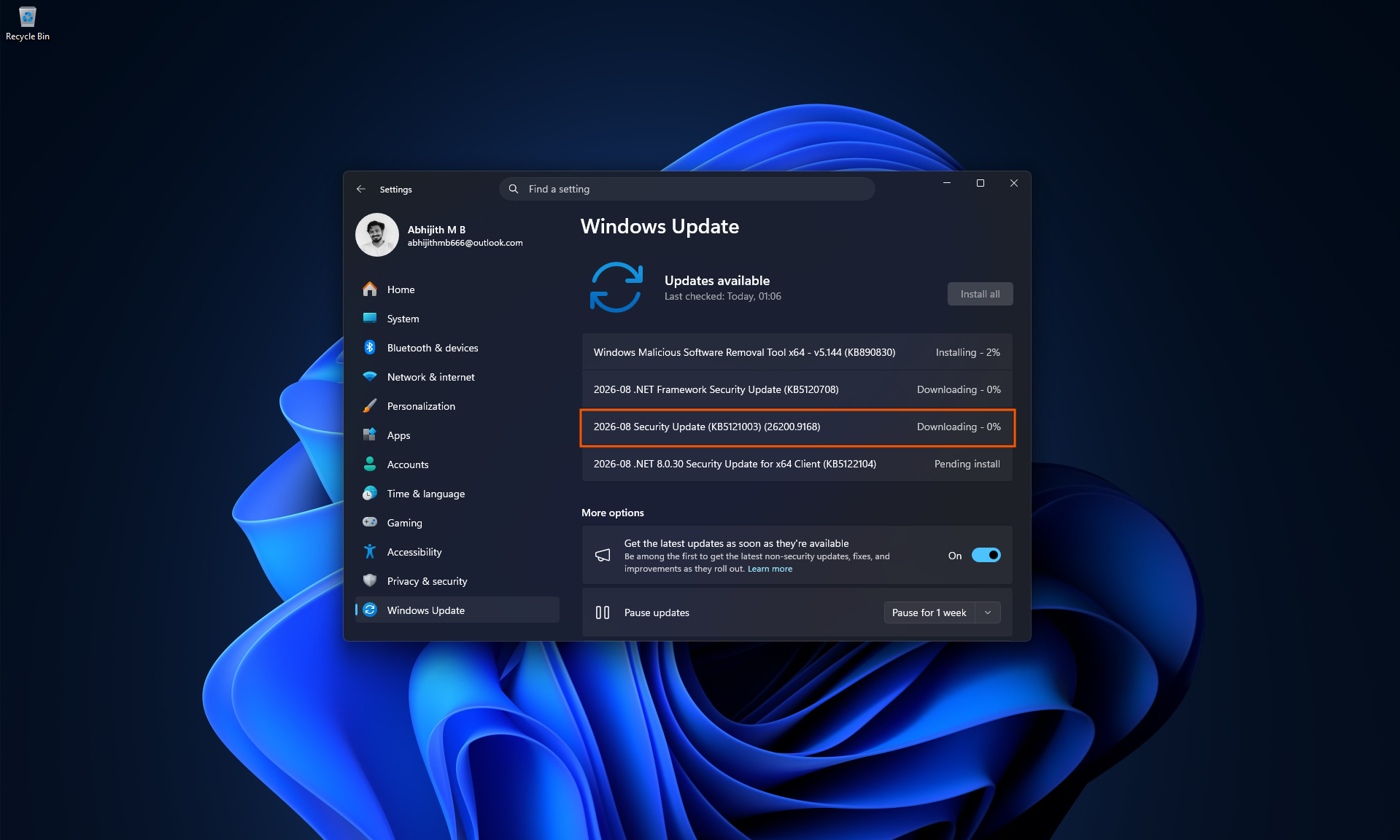
With the release of the August 2026 security update (Build 26200.9168+), Windows 11's Low Latency Profile feature now enhances application launch speeds in addition to its previous scope. After testing on the same hardware, both before and after the update, we observed significantly faster app launches across the board.
How Low Latency Profile Works
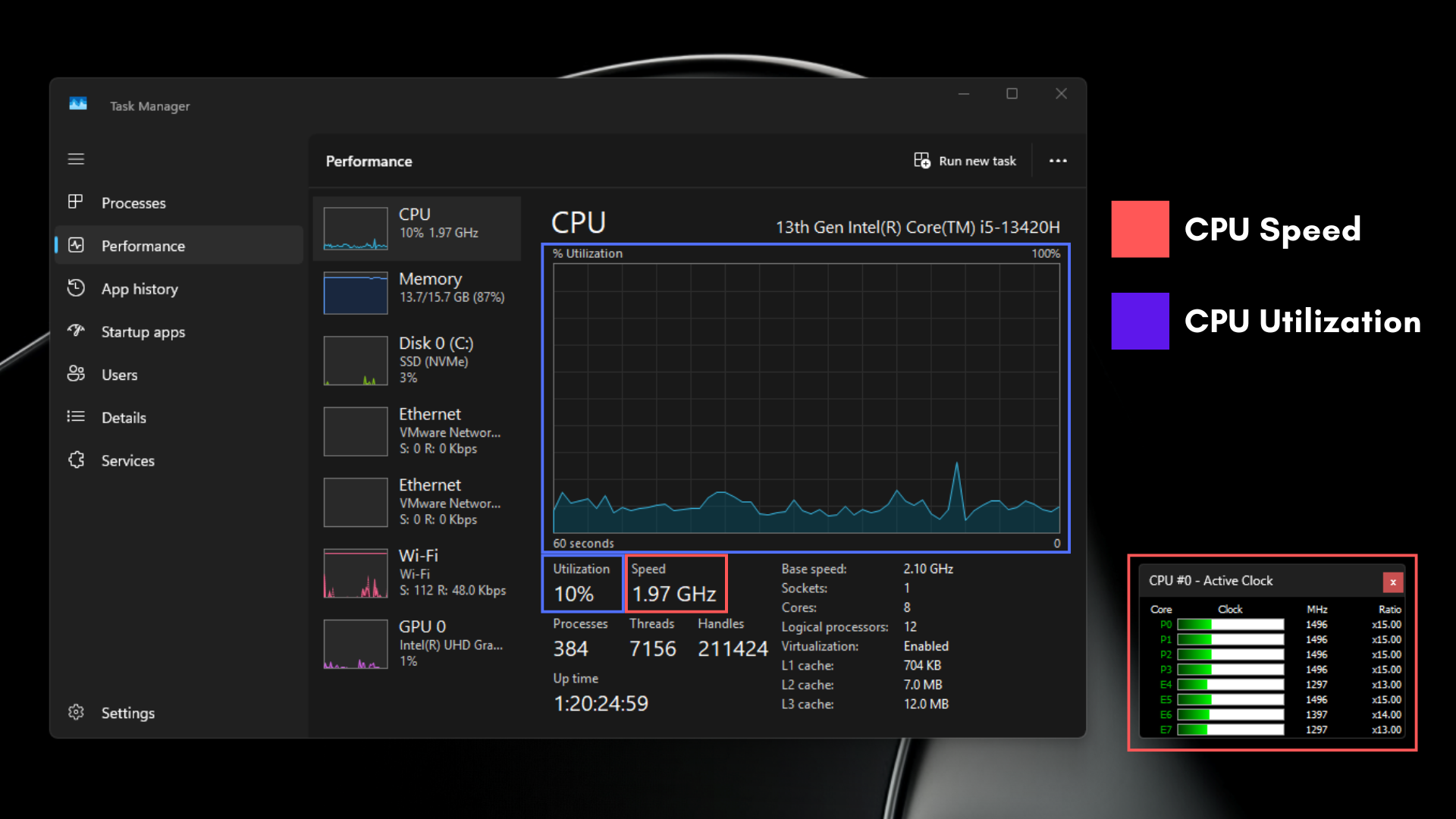
The Low Latency Profile operates by temporarily spiking the CPU to near-maximum frequency for one to three seconds upon user interaction. This brief burst of performance ensures rapid task completion before the CPU returns to idle. This approach, often referred to as "race to sleep," minimizes power consumption by reducing the amount of time the CPU operates at moderate clock speeds.
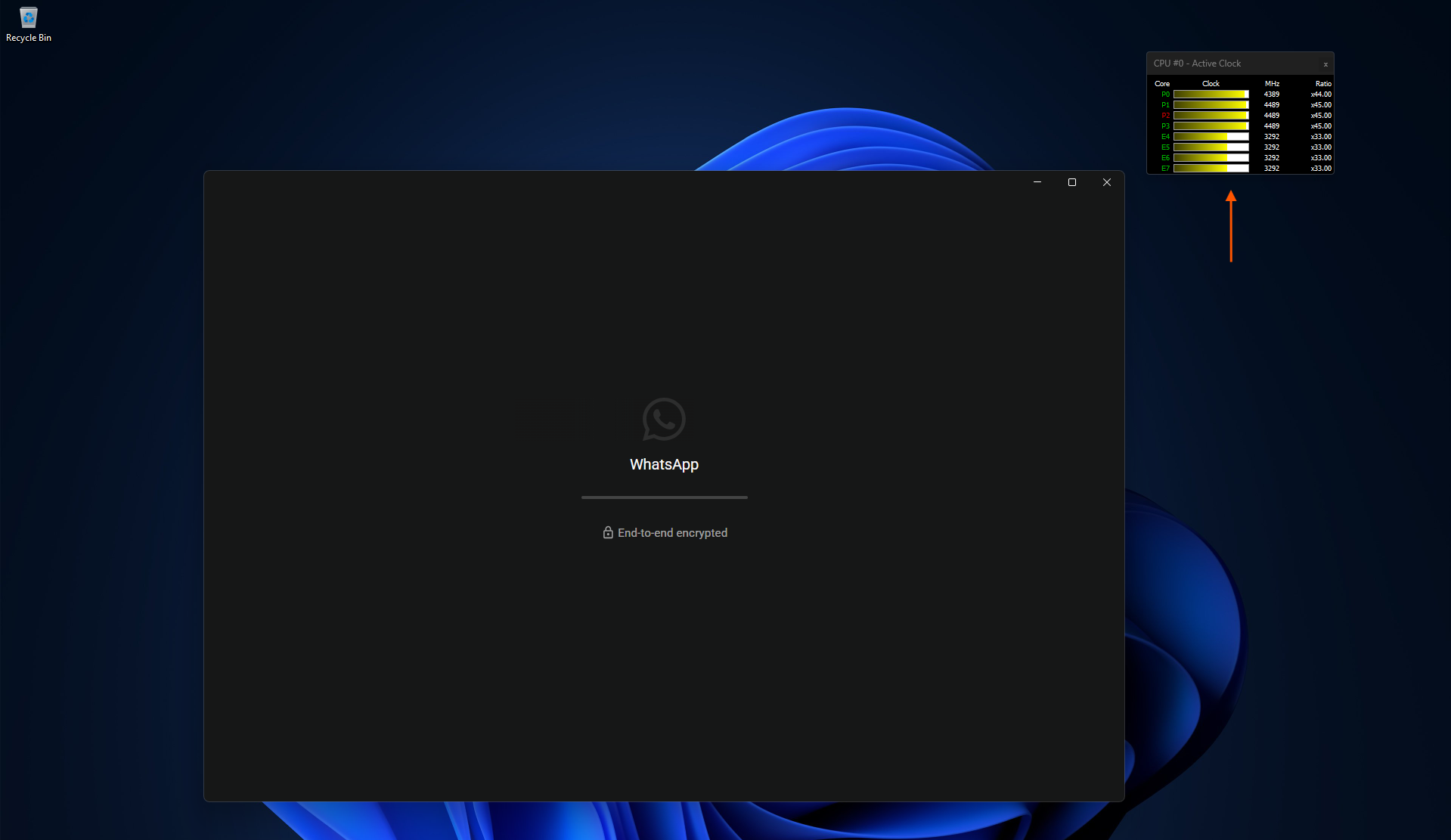
Previously, the Low Latency Profile was limited to Windows shell elements such as the Start menu, Search, and Notification Center. Now, with the August 2026 update (KB5121003), this feature has been extended to include all app launches.
MS's Implementation and Industry Context
MS has defended the engineering logic behind this feature, emphasizing that it’s not a shortcut but a deliberate optimization. The concept of "race to sleep" isn’t new; similar scheduling techniques have been used in macOS and Linux for years, especially on ARM chips like the Snapdragon X2 and NVIDIA RTX Spark, where power state transitions occur in microseconds.
Despite being included in the original May changelog for Windows 11, the feature wasn’t functional for app launches at the time. With the August update, MS has fully enabled the functionality, delivering noticeable performance improvements.
Significant Improvements in App Launch Speeds
Testing confirmed that the update delivers tangible benefits. We tested a variety of apps such as Notepad, Epic Games Store, Calculator, Chrome, Weather, PowerPoint, and VLC on a system equipped with an Intel Core i5-13420H (Raptor Lake-P, 4 P-cores, 4 E-cores). After the update, the P-cores spiked close to their 4.6GHz maximum frequency, while E-cores reached over 2GHz—substantially higher than pre-update levels.
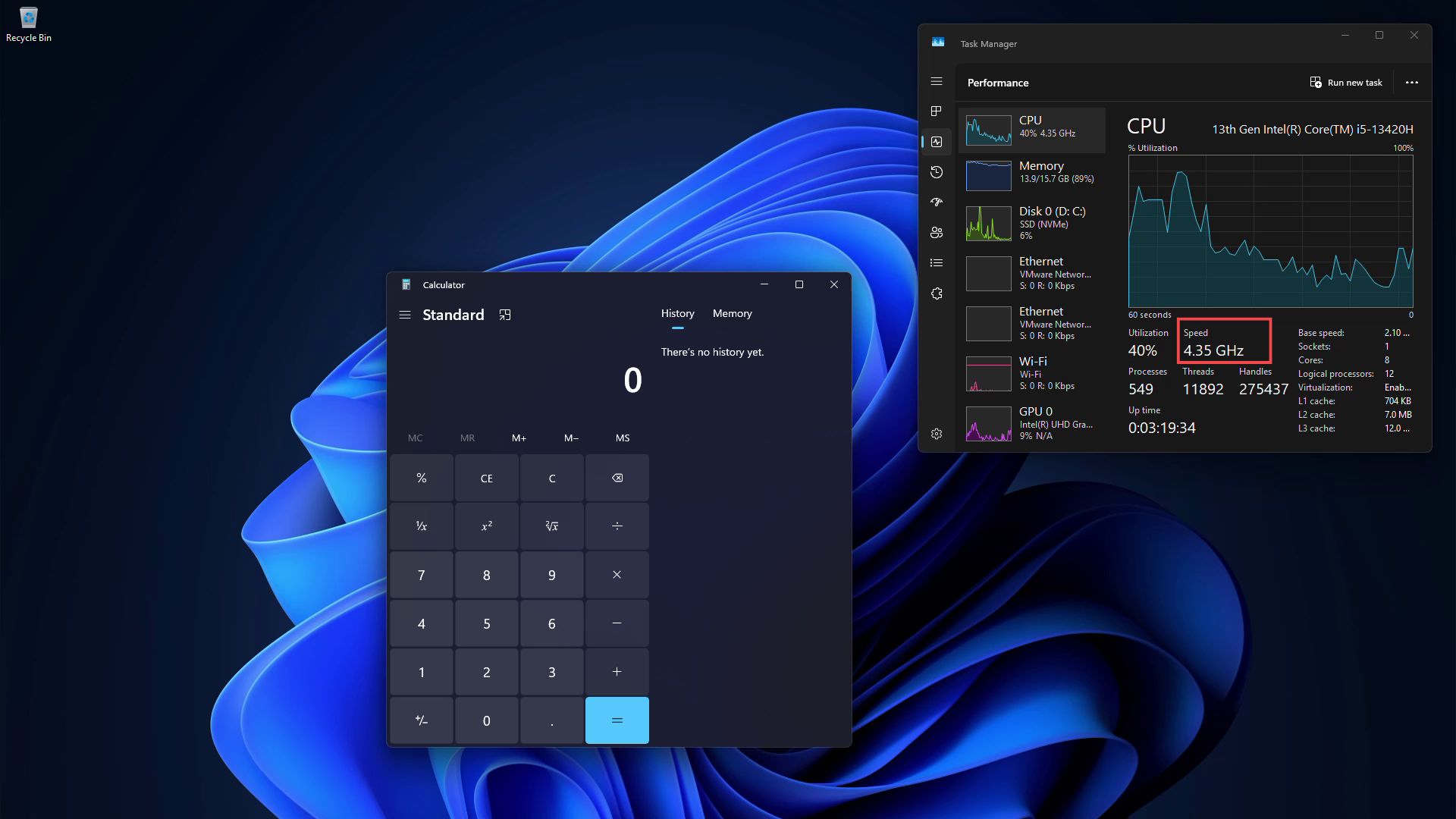
The results were clear: apps opened faster, with heavy applications like the Epic Games Store loading their full interfaces noticeably quicker. This performance boost mirrors the CPU behavior previously observed for Windows shell elements, now extended to cover apps.
How to Enable Low Latency Profile for Apps
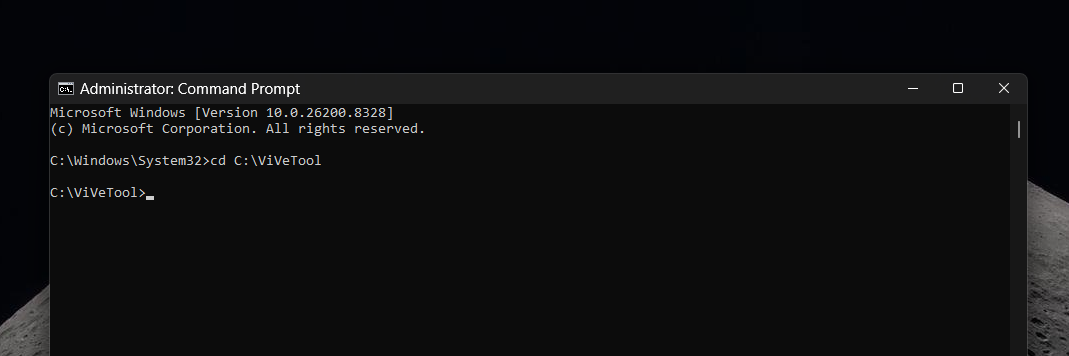
The Low Latency Profile for apps is embedded in Windows 11 KB5121003 (Build 26200.9168 or newer) and is rolling out via Controlled Feature Rollout. If it hasn’t reached your system yet, you can activate it manually using the open-source tool ViVeTool:
- Download and extract ViVeTool from its official repository.
- Open Command Prompt and navigate to the ViVeTool directory (e.g.,
cd C:\ViVeTool). - Run the following command:
vivetool /enable /id:58989092,58989177,61391826.
However, we recommend waiting for the feature to roll out naturally, as MS is gradually enabling it across devices.
Addressing Concerns: Battery Life and CPU Health
Extensive testing has shown that the feature does not negatively impact battery life or thermals. The CPU frequency spike is brief and does not increase utilization, meaning there’s no measurable effect on power consumption or heat generation. This ensures that the optimization is both performance-boosting and energy-efficient.
Windows 11: A Faster, Smarter Operating System
The Low Latency Profile is part of MS’s broader push to optimize Windows 11. The company has promised memory usage improvements for PCs with 8GB of RAM and above by the end of 2026. Additionally, legacy UI elements are being rebuilt using the WinUI framework, which consumes less memory and CPU than older WebView2 and Win32 components.
With ongoing efforts to enhance performance and reduce resource usage, Windows 11 is steadily evolving into a faster and more efficient operating system, making it a better choice for both modern and older hardware configurations.
Windows Latest depends on readers like you. Make us your preferred source on Google Discover and Google Search, and help our independent reporting reach more people.
