

MS Confirms Windows 11 Won't Adopt Liquid Glass-Style Transparency for Now
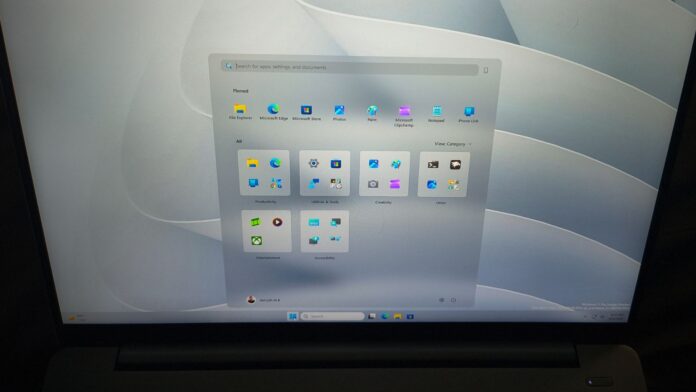
MS has clarified that no immediate adjustments will be made to Windows 11's transparency settings. Instead, users are encouraged to explore third-party tools like Windhawk, as the company has no plans to natively incorporate macOS-inspired Liquid Glass controls into the system.
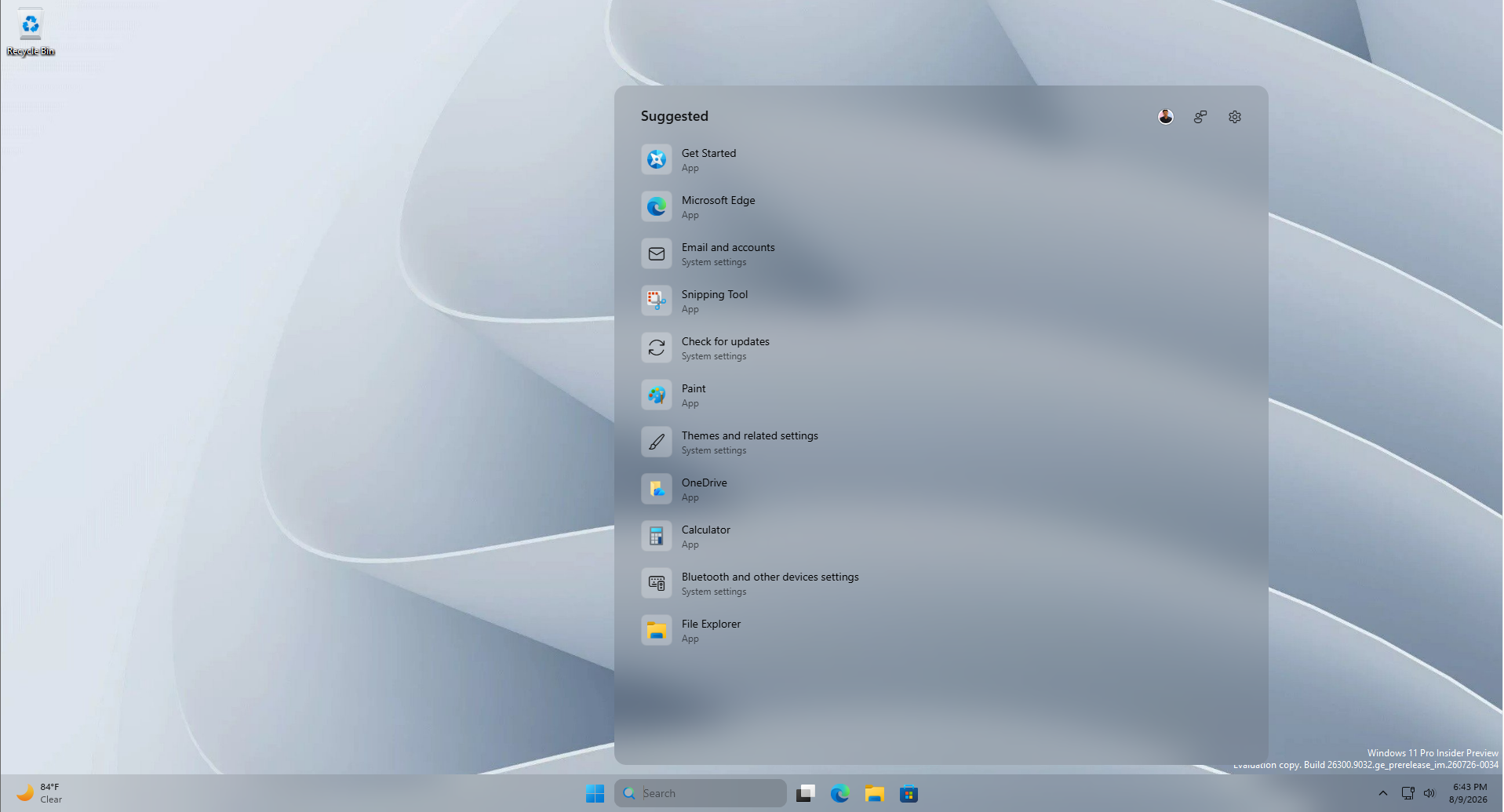
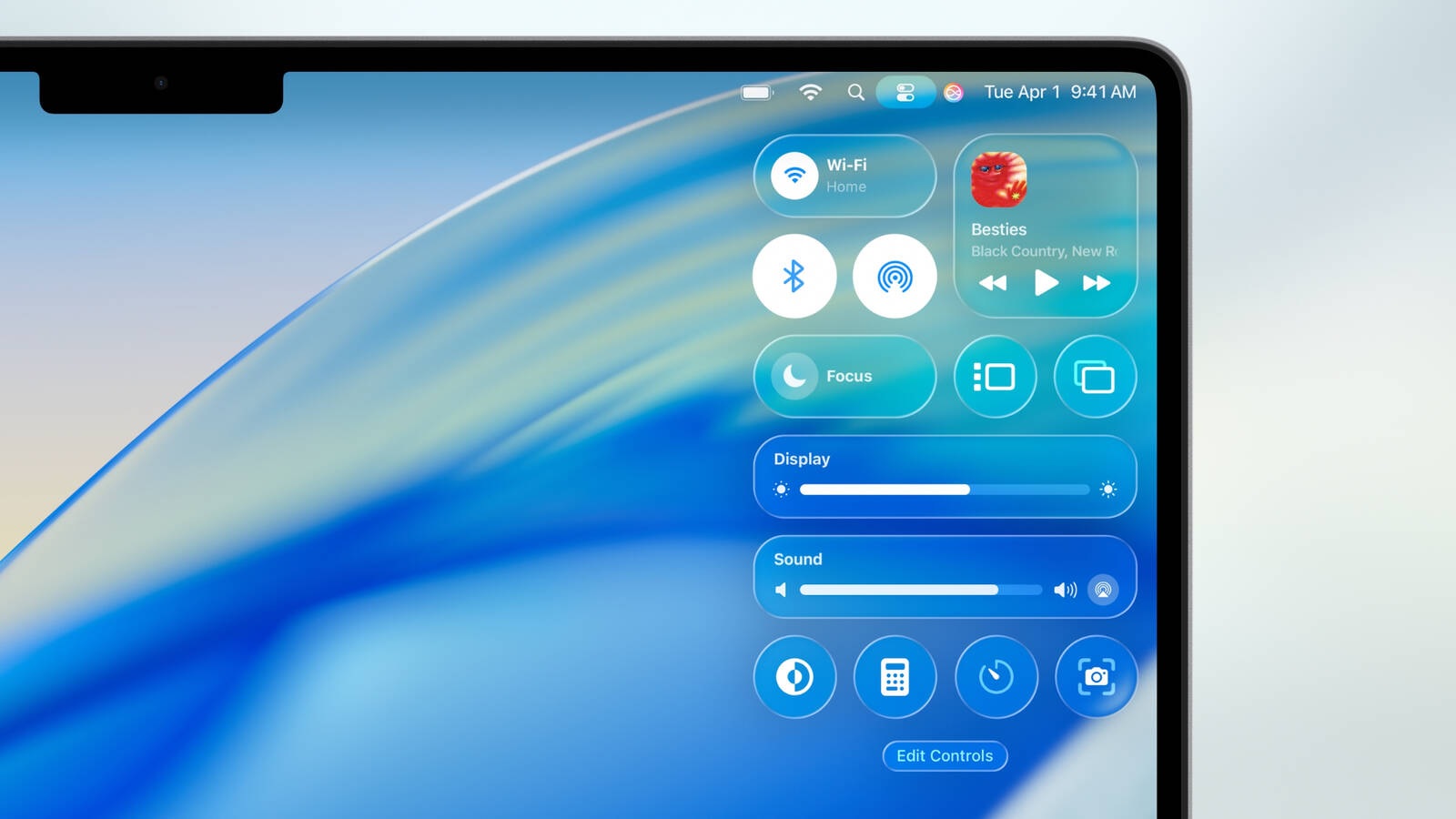
Apple's Liquid Glass design, introduced during WWDC 2025, initially received criticism for readability issues across iOS, iPadOS, and macOS. Apple later refined the effect before its public release in September and further enhanced it during WWDC 2026 by adding a slider to adjust the transparency from ultra-clear to fully tinted.
A year later, Liquid Glass has become more prevalent across applications and even websites. Naturally, users are now questioning whether similar functionality could be brought to their Android devices and Windows PCs.
MS’s Focus Areas for Windows 11: Transparency Not on the List
The year 2026 has seen MS addressing long-standing challenges in Windows 11. In March, the company pledged to concentrate on three key pillars: Performance, Reliability, and Craft. While several features tied to "Craft," such as a movable taskbar and resizable Start menu, have been rolled out to Windows Insiders, transparency controls have been conspicuously absent.
Reasons Behind MS’s Reluctance to Expand Transparency Controls
On June 11, March Rogers, Partner Director of Design at MS, shared updates to Start menu settings for Insiders, including section toggles, a resizable Start menu, and an option to hide user names during screen sharing. In response, a user named Emrah questioned why Windows doesn't offer more customization for taskbar and Start menu transparency.
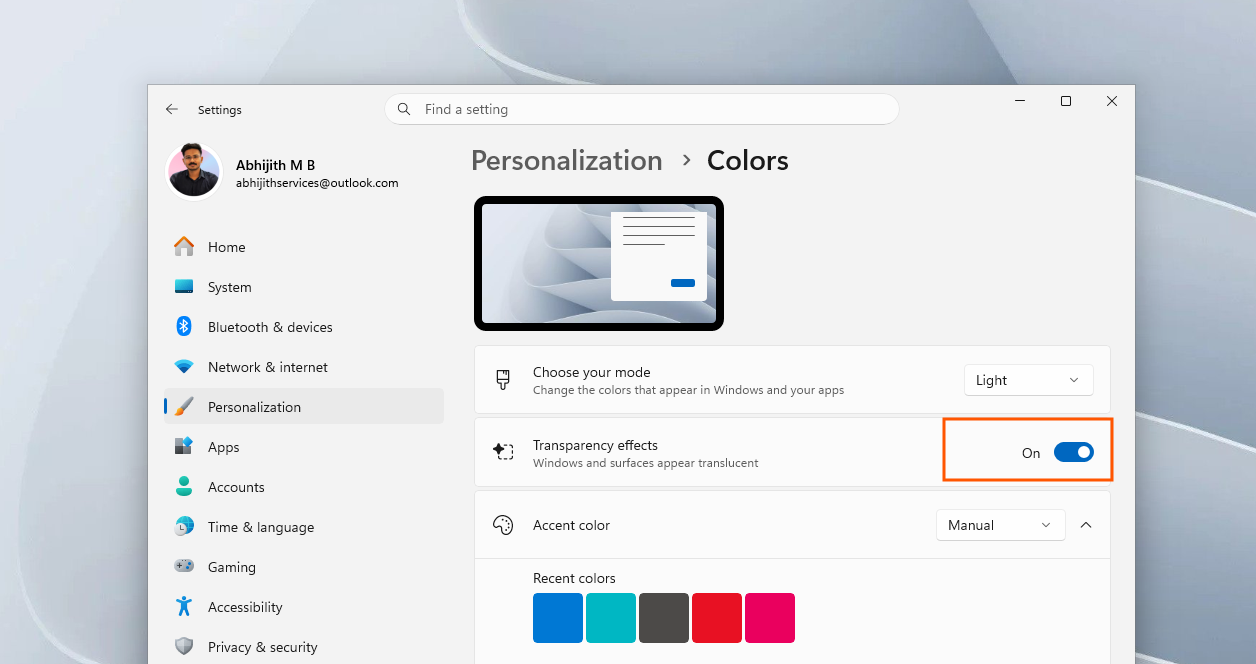
Rogers responded, noting that transparency effects can be turned off in Settings under Personalization > Colors. He explained that increasing transparency beyond default settings isn’t permitted as it could impact readability and usability.
Although this rationale holds merit, Emrah clarified that he wasn’t advocating for less transparency. He shared a screenshot of his Windows 11 desktop, showcasing a frosted glass effect achieved using Windhawk's TranslucentStartMenu mod. Despite the enhanced transparency, text and icons remained highly legible—demonstrating that greater customization is technically viable.
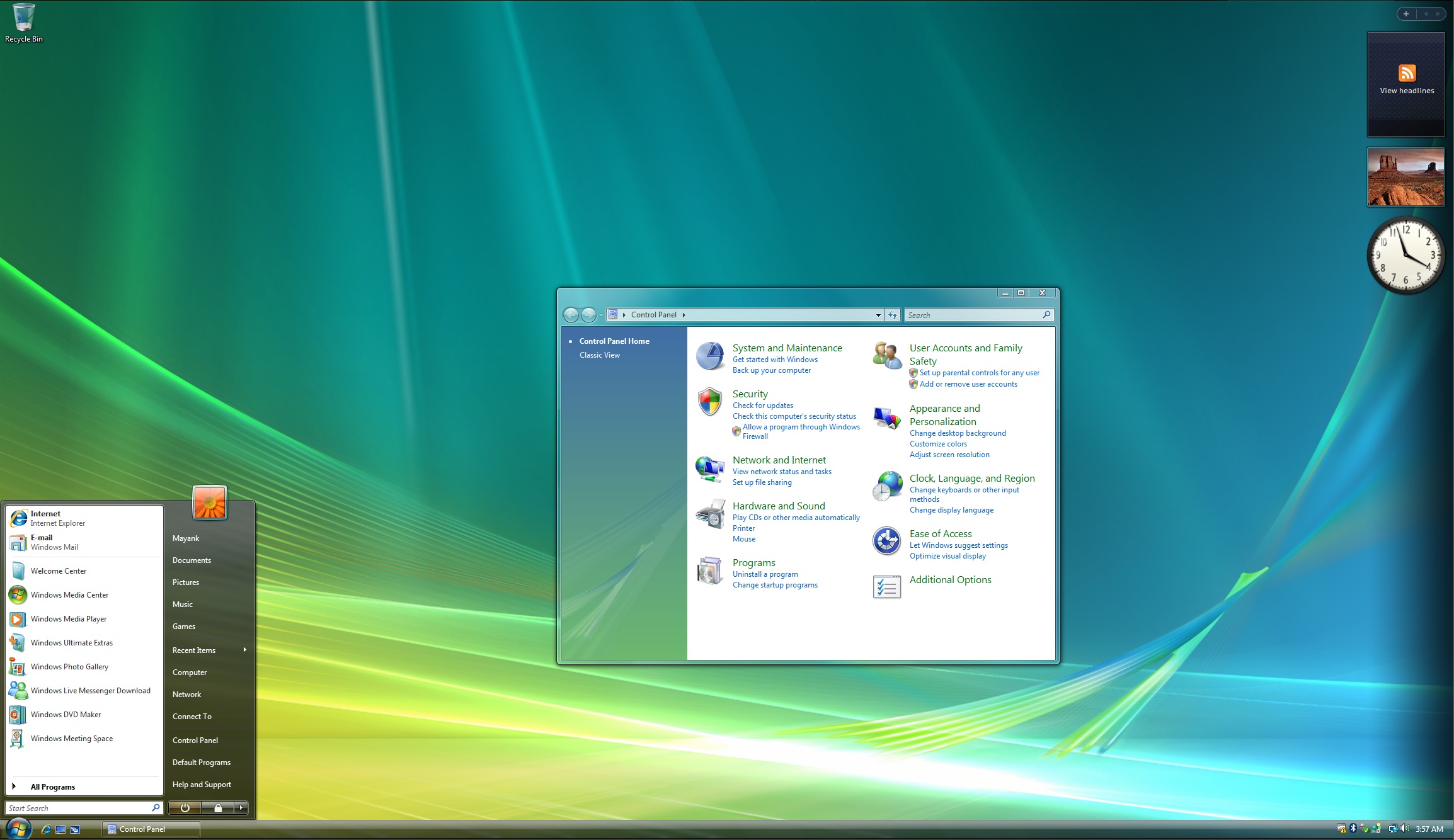
Interestingly, Windows introduced a similar aesthetic nearly two decades ago with the Aero Glass feature in Windows Vista, launched in 2007. However, MS later shifted away from the translucent, frosted design with Windows 8, opting instead for flatter Acrylic and Mica effects.
In a post dated July 31, Design Lead Marcus Ash reignited the discussion about transparency. This time, March Rogers elaborated on why a transparency slider is unlikely to arrive in Windows 11 in the near term:
"When considering major visual updates to Windows, such as the transparency option you mentioned, we carefully weigh who stands to benefit, the impact on usability and accessibility, and whether we can deliver an exceptional user experience."
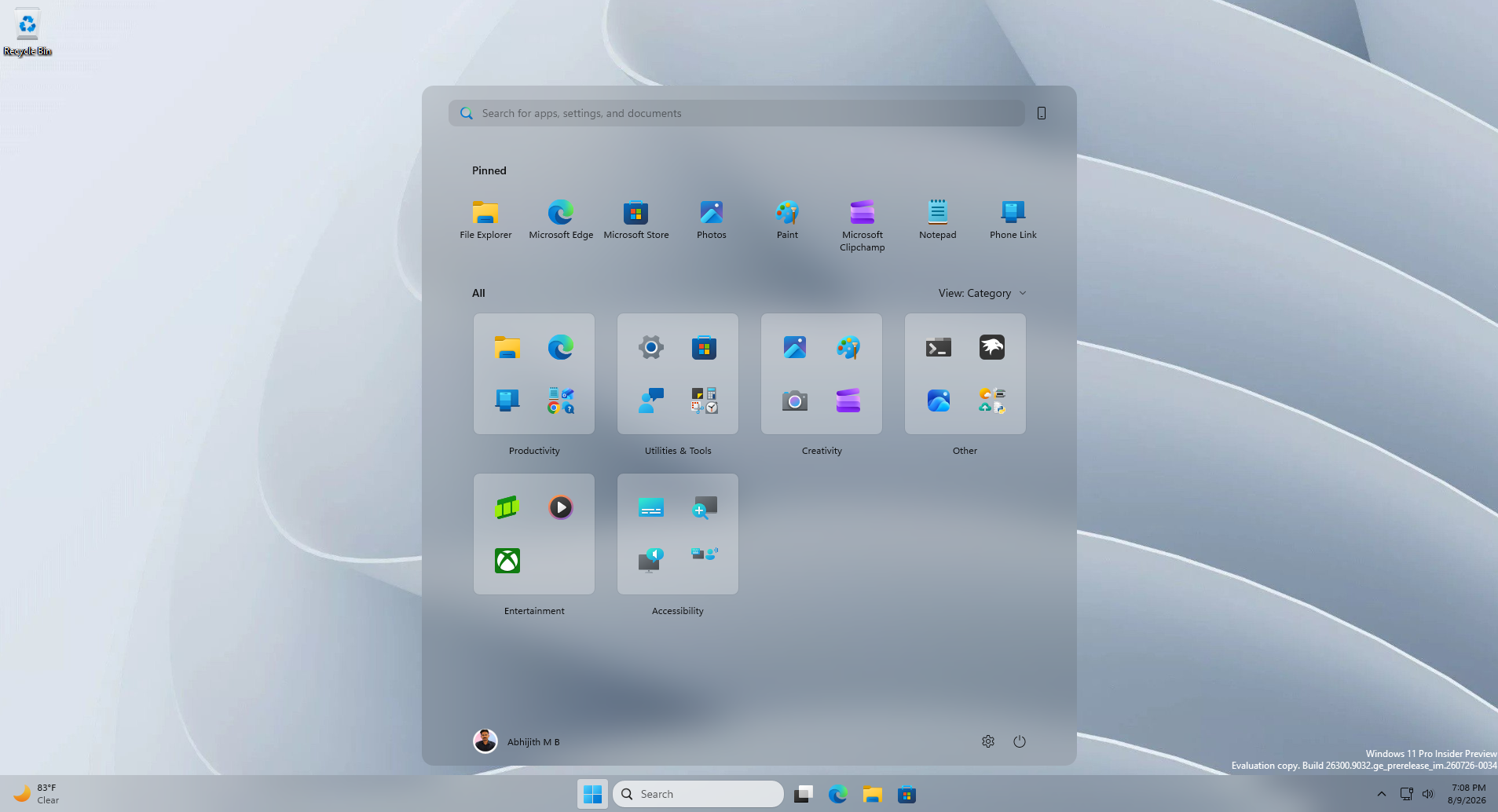
Rogers also emphasized that MS actively monitors contributions from the developer community, such as Windhawk, to assess whether native modifications are necessary. He concluded by stating that enhancements would only be implemented when they can ensure a high-quality experience for all users.
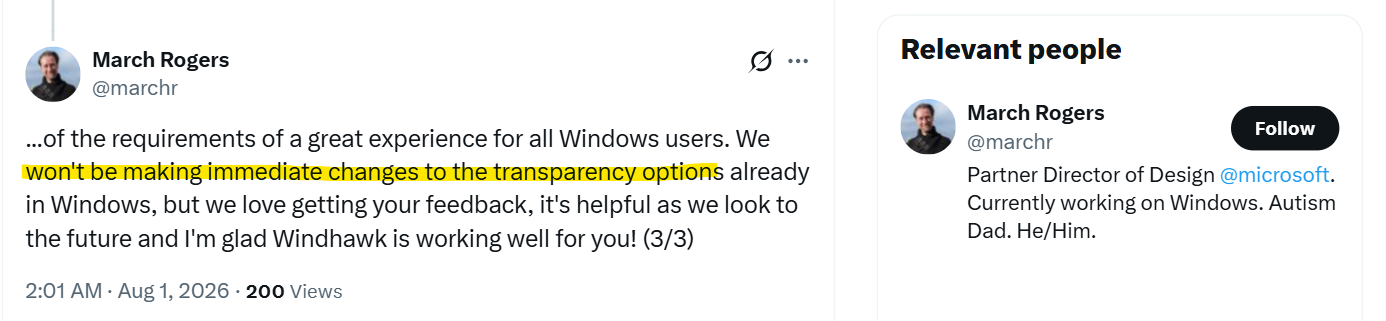
For the time being, Rogers confirmed, "We won’t be making immediate changes to the transparency options already available in Windows," while acknowledging the importance of user feedback for potential future developments.
However, as Emrah argued, native OS features are inherently more stable and less prone to errors compared to third-party solutions. Customizability is often a key factor for users when choosing platforms. With Liquid Glass effects becoming more prevalent across updated apps and websites, MS’s hesitation to offer similar native customization options is somewhat disappointing—particularly given that Windows pioneered similar aesthetics years ago.
Windows 11 Continues to Introduce Other Customization Features
While expanded transparency controls are not yet available, MS has been addressing other long-requested customization features. In June, Windows Latest reported on 10 new taskbar and Start menu features, including a movable taskbar, a smaller taskbar, and section toggles for Pinned, Recent, and All Apps in the Start menu.
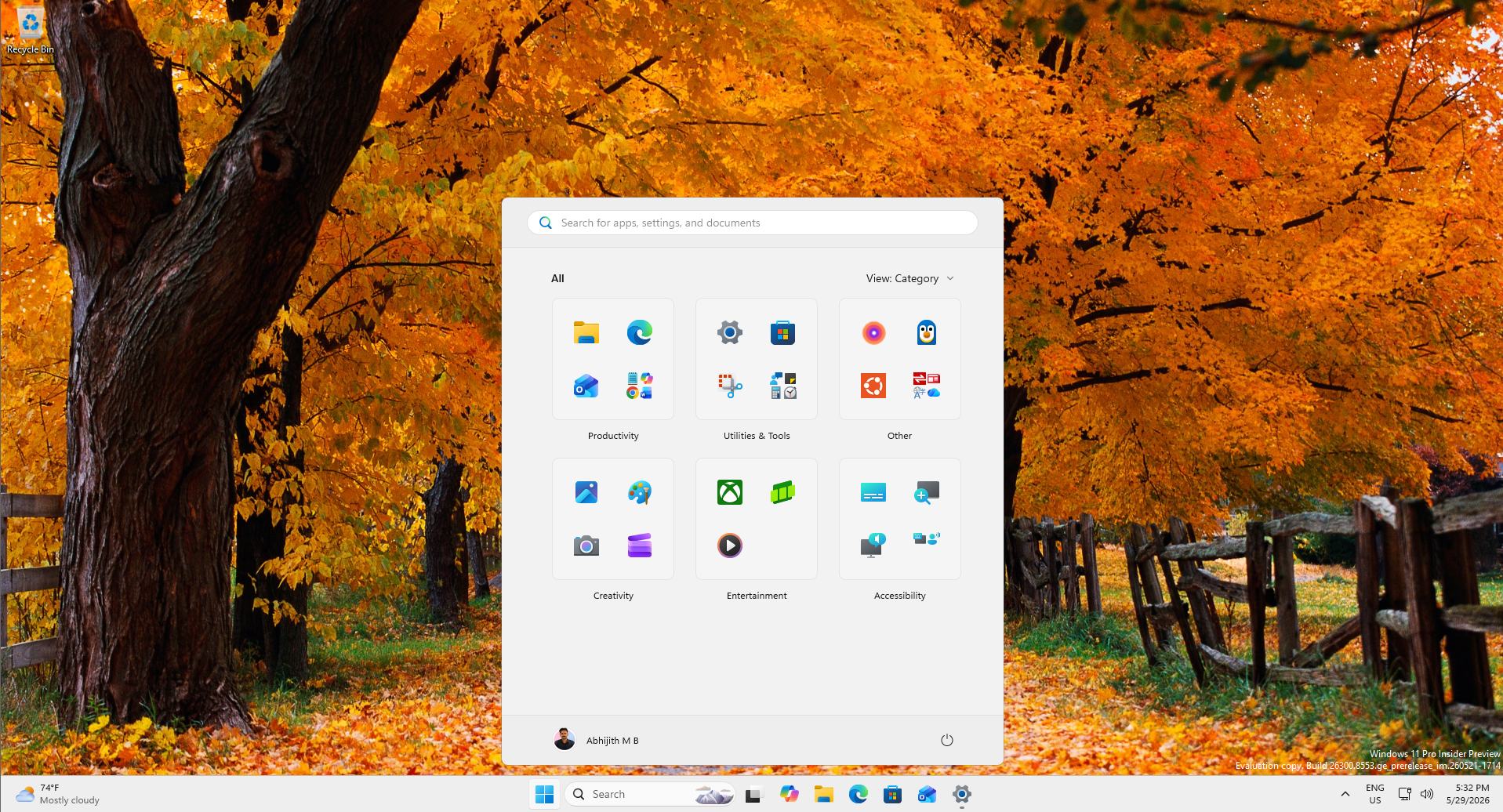
Users testing the new Start menu customization options have expressed satisfaction with the added flexibility. MS is also experimenting with per-monitor taskbar positions and resizable Start menu layouts, addressing other long-standing requests.
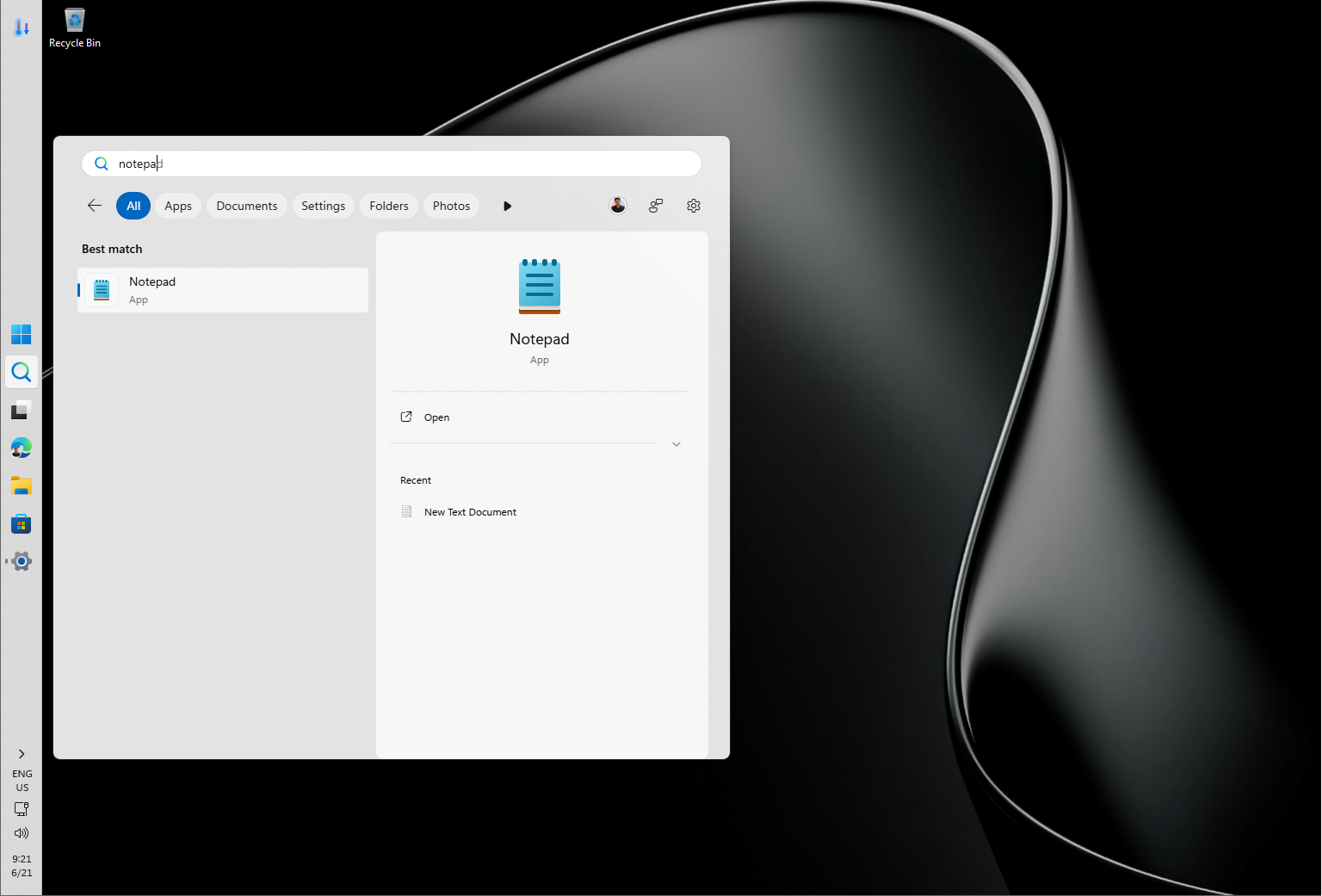
In addition, MS has simplified Windows Search, making results more customizable. While these updates are welcome, many consider them overdue features that should have been included at Windows 11’s initial 2021 launch.
How to Enable Transparency Effects in Windows 11 Today
For those seeking a frosted glass aesthetic on their Windows 11 desktops, Windhawk—a free, open-source mod manager—remains the most effective solution.
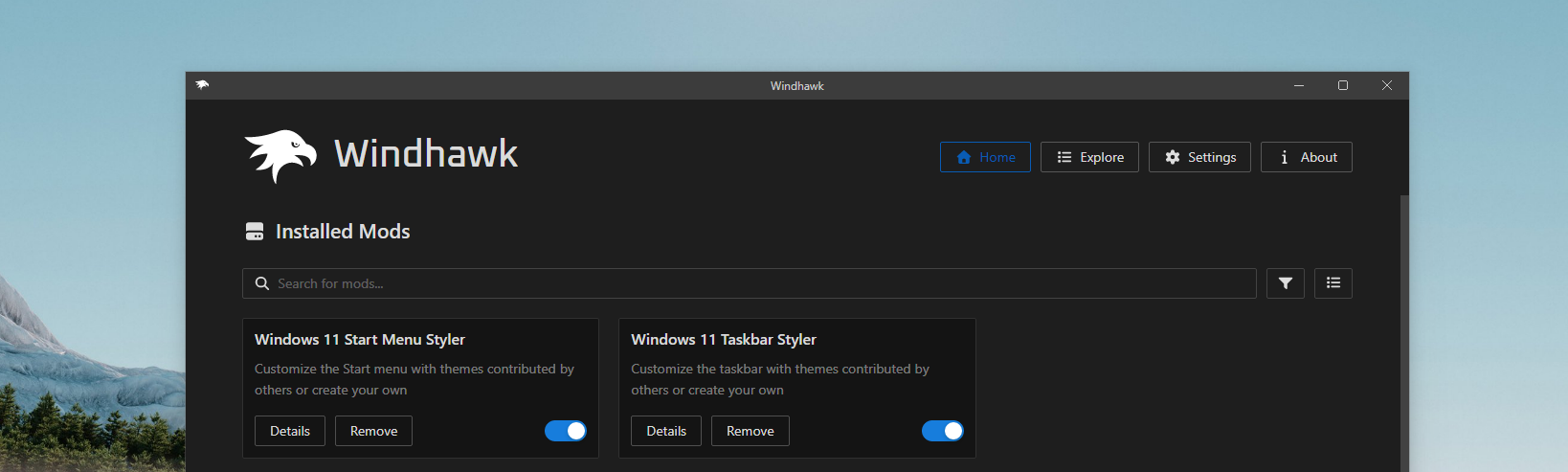
- Install Windhawk on your PC.
- Search for the Windows 11 Start Menu Styler and Windows 11 Taskbar Styler mods.
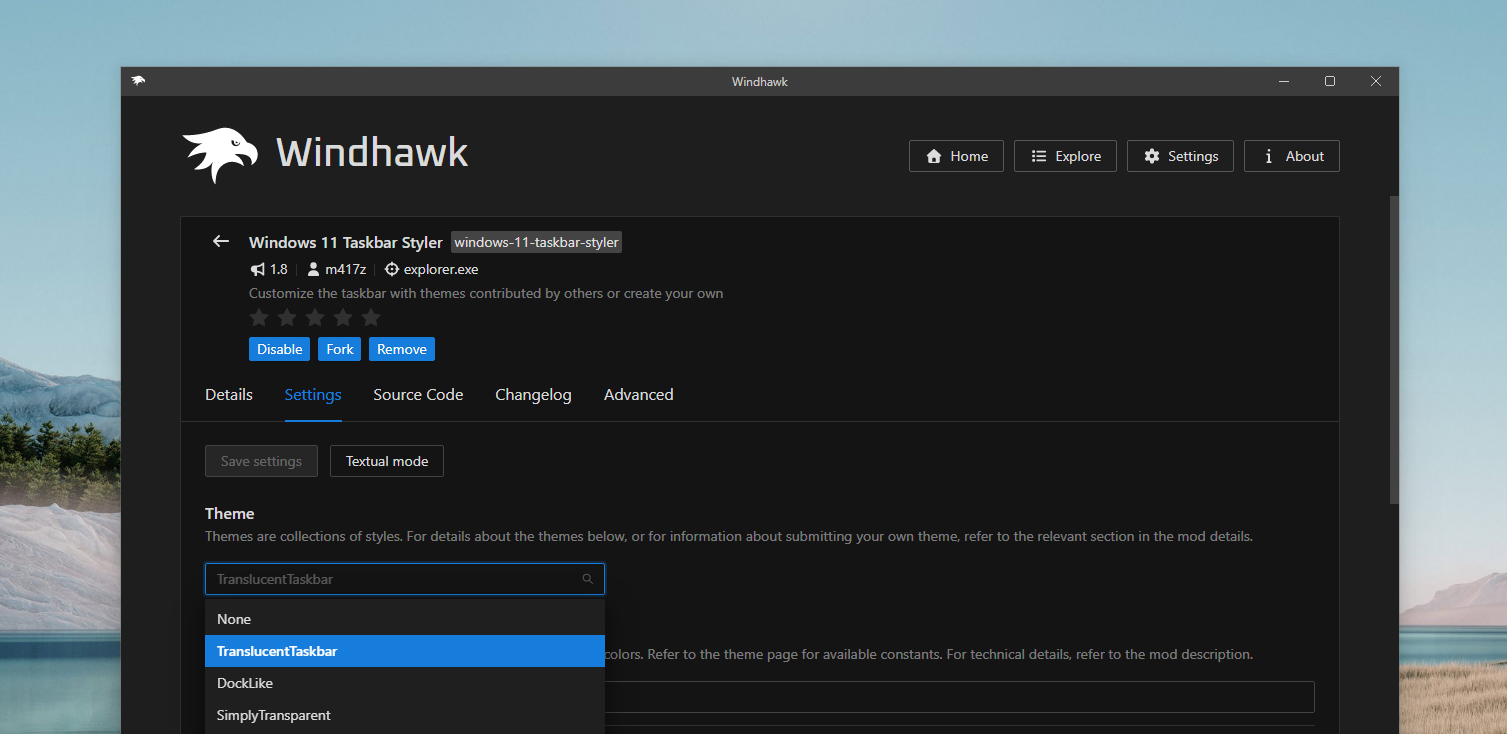
- Activate these mods and apply the TranslucentStartMenu and TranslucentTaskbar themes via the settings tab. You can either select the themes from the dropdown or input the style code manually.
These modifications can also be extended to File Explorer and other UI surfaces using Windhawk’s mod catalog. However, while third-party tools offer a viable workaround, some users argue that MS should prioritize optimizing Windows 11’s core features instead of deeper customization. Legacy dialogs, bloated built-in apps like Weather, and the ongoing transition to WinUI 3 remain critical areas requiring attention.
In the end, while Liquid Glass effects are visually appealing, many believe that perfecting the fundamentals should take precedence.
Windows Latest relies on readers like you. Make us your go-to source on Google Discover and Google Search to help our independent reporting reach more people.
