Windows 10 KB5120249 Extended Security Update: Everything You Need to Know
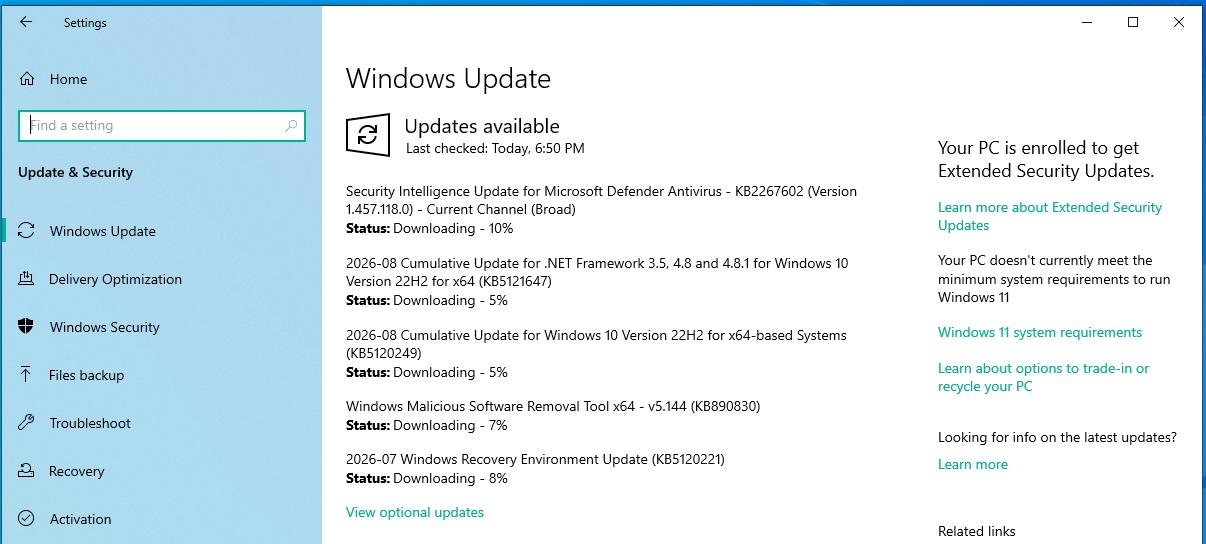
Windows 10 KB5120249 is now available as part of the August 2026 Patch Tuesday for PCs enrolled in the Extended Security Updates (ESU) program. Along with being available through Windows Update, MS has also provided direct download links for the KB5120249 offline installers (.msu) on the Update Catalog. However, installing them still requires ESU eligibility.
Key Details About KB5120249
This update is listed as “2026-08 Cumulative Update for Windows 10 Version 22H2 for x64-based Systems (KB5120249)” and takes less than five minutes to install. Alongside this update, several other updates were bundled with this month’s Patch Tuesday. Notably, Windows 10 is also receiving a new Recovery Environment update, seemingly addressing a security issue.
Additionally, a .NET Framework update is rolling out today, with similar updates observed on Windows 11 (e.g., KB5121003). This August 2026 Update addresses over 400 security issues. MS strongly advises users to update their Windows 10 PCs, which are supported under ESU until October 2027.
Highlights of the August 2026 Update
The most impactful update is Windows 10 KB5120249, which updates older PCs to Build 19045.7663. For Windows 10 Enterprise LTSC 2021, it updates to Build 19044.7663. Despite the update, there are no visible changes, as both builds are based on the same Windows platform release. However, a cleaner experience is observed on LTSC editions.
Download Links for Windows 10 KB5120249
Direct download links are available for 64-bit and ARM-64 systems. If Windows Update is not functioning properly or gets stuck due to other pending updates, the Update Catalog offers the .msu offline installer.
While the update size is under 1GB via the Update Catalog, using Windows Update is recommended for most users. Through Windows Update, the download size is usually under 500MB, making it faster and more efficient.
To download and install the August 2026 Update:
- Open Settings > Update & Security > Windows Update.
- Click on Check for updates.
- Select Download & install.
What’s New in Windows 10 Build 19045.7663?
Windows 10 Build 19045.7663 primarily includes security fixes from the August 2026 Patch Tuesday. However, there are no visible changes to the UI or UX since Windows 10 is under extended support and no longer receives new features.
One notable addition is the OneDrive Photos app. MS is rolling this out via the OneDrive sync client, which is typically pre-installed and runs in the background. If you see this app, it’s not due to KB5120249 but rather the OneDrive sync client. MS has announced plans to allow users to delete the app separately in the coming weeks.
Notable Changes in the August 2026 Update
- Fix for SMB File History backups: A previously identified issue with File History automatic backups using SMB, which caused invalid credentials errors and backup failures, has been resolved.
- Secure Boot certificate updates: MS is expanding Secure Boot certificate updates to more PCs. These updates are being deployed through Windows updates to both supported PCs and non-managed business devices.
To check Secure Boot status on your PC:
- Open the Windows Security app.
- Navigate to Device Security.
- Verify the Secure Boot status, which should show “Secure Boot is on” if updates have been applied.
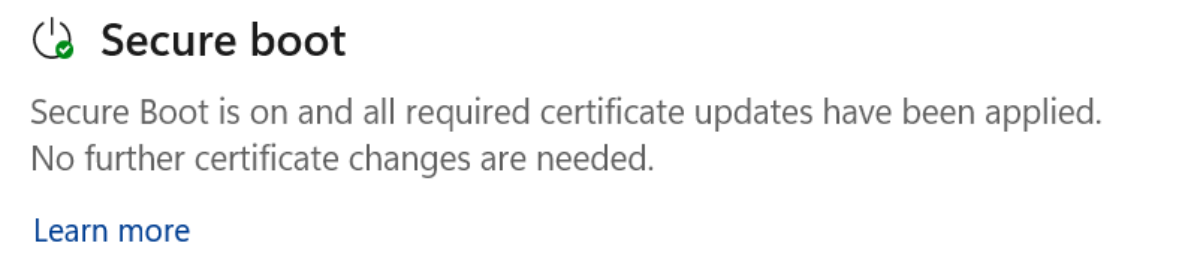
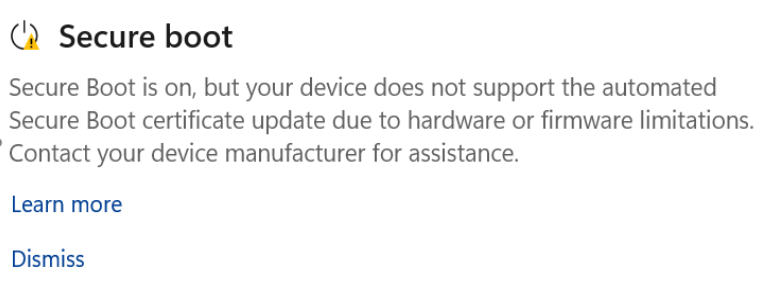
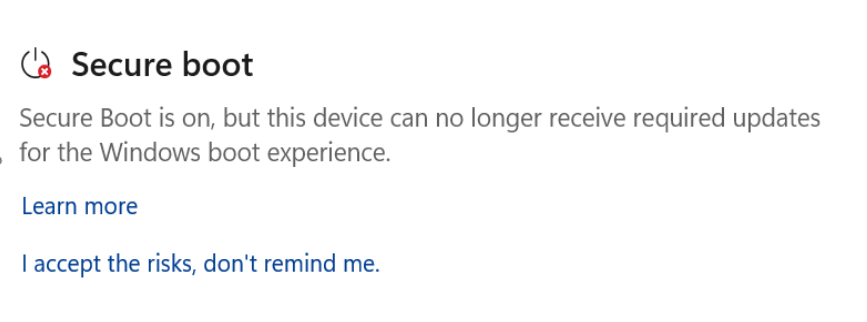
Older PCs may have Secure Boot turned off, which can prevent upgrades to Windows 11, as Secure Boot is a requirement for the newer OS. In some cases, hardware or firmware limitations may result in a yellow alert indicating Secure Boot has not been updated.
Windows 10 Enterprise LTSC 2021 Support Ending Soon
MS has reminded users that Windows 10 Enterprise LTSC 2021 support will end on January 27, 2027. After this date, devices using the OS without ESU will become vulnerable.
The recommended migration path is to Windows 11 LTSC 2024, which offers enhanced security. Alternatively, users can switch to “IoT Enterprise LTSC,” which will continue receiving monthly security updates, or purchase ESU, priced at $61, starting September 2026.
For regular consumers using Windows 10 Home or Pro editions, Extended Security Updates are provided free of charge.
Final Thoughts
The August 2026 Update for Windows 10 delivers much-needed security fixes and minor enhancements without introducing known issues. MS continues to prioritize performance and stability, ensuring a reliable experience for both enterprise and consumer users.